
DB Soft · VST3 plugin and app · Windows
Your melody,
orchestrated.
Give it a few bars and Symphonic Orchestrator writes the whole piece: harmony, form, and 24 orchestral parts with their articulation and dynamics. Hear it right in the plugin window with the built-in sampler, then drag it into your DAW.
The DB Soft family
One engine, four pieces.
All four are made by DB Soft and share the composer, the humanization and the sampler. One installer puts the plugin, the meter and Tutti in place; the sound bank downloads from inside the plugin.

Symphonic Orchestrator
Composes and orchestrates a complete piece from your melody.
VST3 plugin · App
NovelaSonora
Reads a chapter and writes its music, as long as it takes to read.
VST3 plugin · App
Meter
Matches the loudness of your libraries track by track, in LUFS.
Track insert · Included
Tutti Orchestra
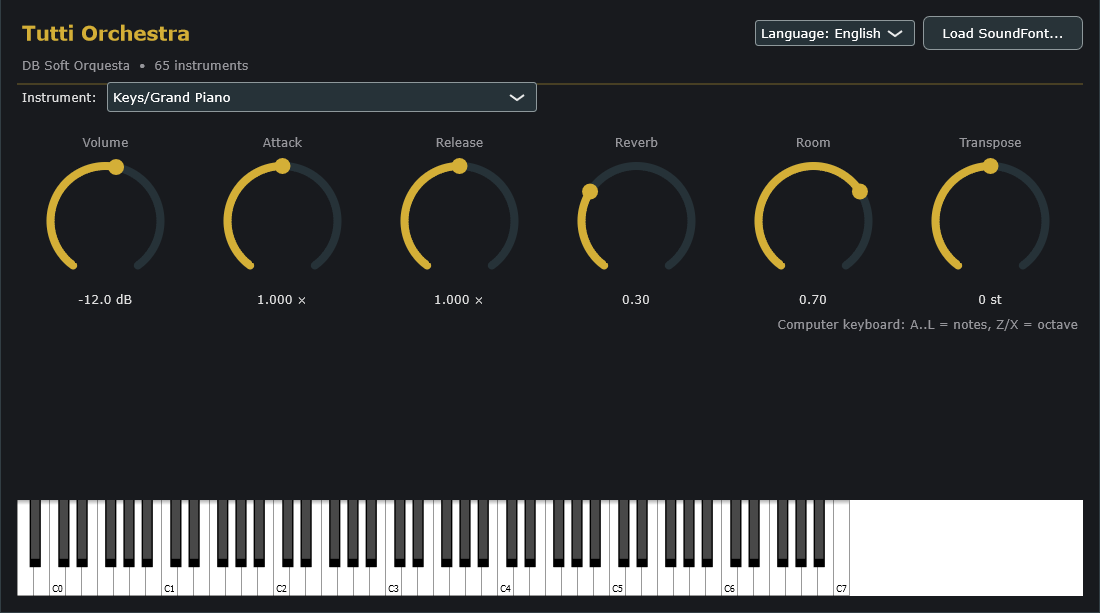
The SoundFont sampler that plays the orchestra with nothing else installed.
SF2 sampler · IncludedSymphonic Orchestrator
From eight bars to a full score.
Three steps. Every decision can be undone, compared with the previous one and saved as a recipe.
Give it a melody
Import a .mid, play it on your MIDI keyboard and press Capture, or let the Base melody tab write one: tonic, scale, time signature, density and how much it prefers steps to leaps.
Decide how it sounds
Pick a style and a form, then shape each section: bars, tempo, dynamics, transposition and who takes the solo. Generate writes the piece; Create variations gives you other versions.
Take it with you
Drag every track into your DAW, or export MIDI stems, a Reaper project with its tracks, or WAV audio rendered with the built-in sampler.
Orchestrate
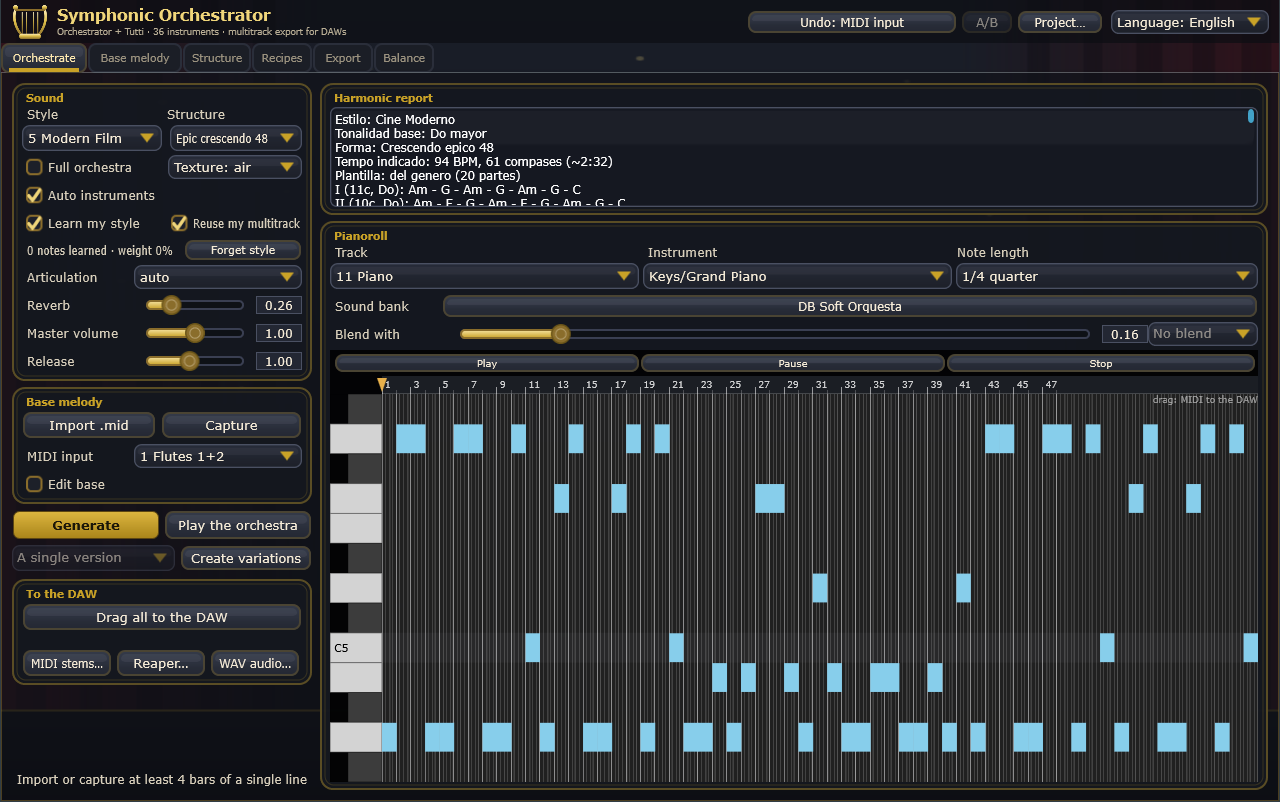
The main view. Sound and melody on the left; on the right, the harmonic report for each section and the piano roll of whichever track you choose.
- Learns your style from the melodies you give it
- Hear each track with its instrument
- Drag one track or all of them into your DAW
Learns your style
It studies the melodies you import or capture and moves the base melody towards them. What it learns is saved with the session.
MIDI programming that breathes
Each brass instrument attacks with its own timing, woodwinds slur within the phrase and breathe at its end, and dynamic curves never sit still.
trumpet 45 ms · horn 100 · trombone 150 · tuba 175
Ready for your libraries
Long and short notes on separate tracks, keyswitches per technique, vibrato on the CC of your choice and micro-tuning through pitch bend.
C3 = 60, as in Cubase
Undo for everything
Up to 16 steps, and the button tells you what it will undo. A/B compares the current piece with the previous one.
Recipes
Save how you like to orchestrate (genre, structure, texture, instruments) and reuse it in your next piece.
Melodies with craft
Each time it writes several candidates and keeps the best one: the one that returns to its motif, rises to a climax and ends on the tonic.
In English and Spanish
It follows your system language or the one you pick in the header. Reports and help too.
With your DAW
Type 1 multitrack MIDI, a Reaper project, a CSV part map for Cubase and Logic, and WAV.
NovelaSonora
Music for your novel, timed to its reading.
Open a chapter. NovelaSonora works out how long it takes to read, splits it into scenes, recognizes the character of each one and writes a soundtrack that lasts exactly that long.
Each scene, its own music
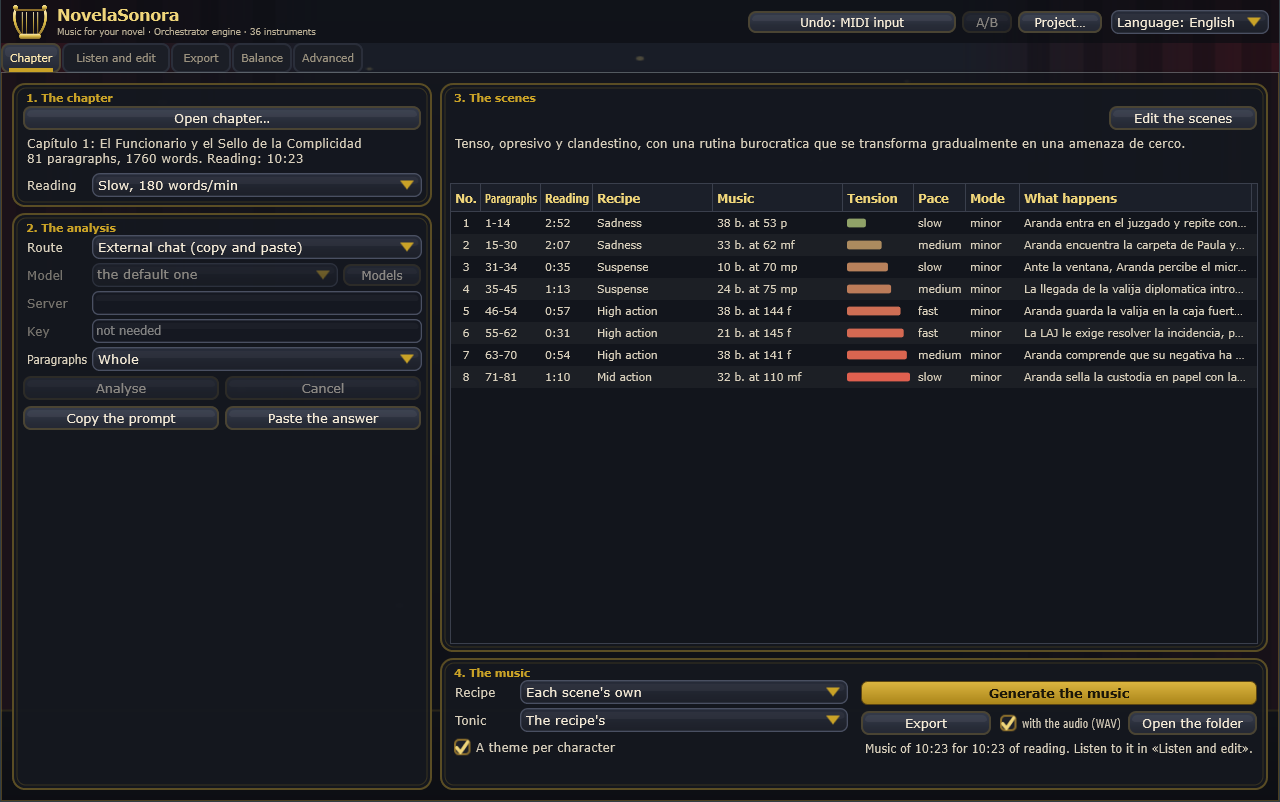
The eight scenes of the chapter in the screenshot, drawn to time scale. Height and color show the tension the analysis gives each one; the recipe sets tempo, mode, harmony and who plays.
Twelve film-score recipes
Each scene gets a recipe with its tempo range, time signature, progression and how the parts split into melody, movement, pad, highlights and bass. With a dynamics ceiling, because the music plays under the reading.
A motif for each character
The protagonist and the main places each get their own theme, which comes back throughout the book, transformed. The villain's theme is inverted, love rises a third, action compresses and the heroic rises to the fifth.
The whole book
Opens .txt, .md, .docx and .epub. “Whole book…” generates one chapter after another, each in its own folder, with the WAV, the MIDI and a map linking every paragraph to its minute.
Analysis with:
Balance and Meter
Your libraries, at the same level.
Every library is recorded at a different level, so the horns from one can bury the violins from another. The Meter listens to each track and the plugin works out how much to raise or lower each part.
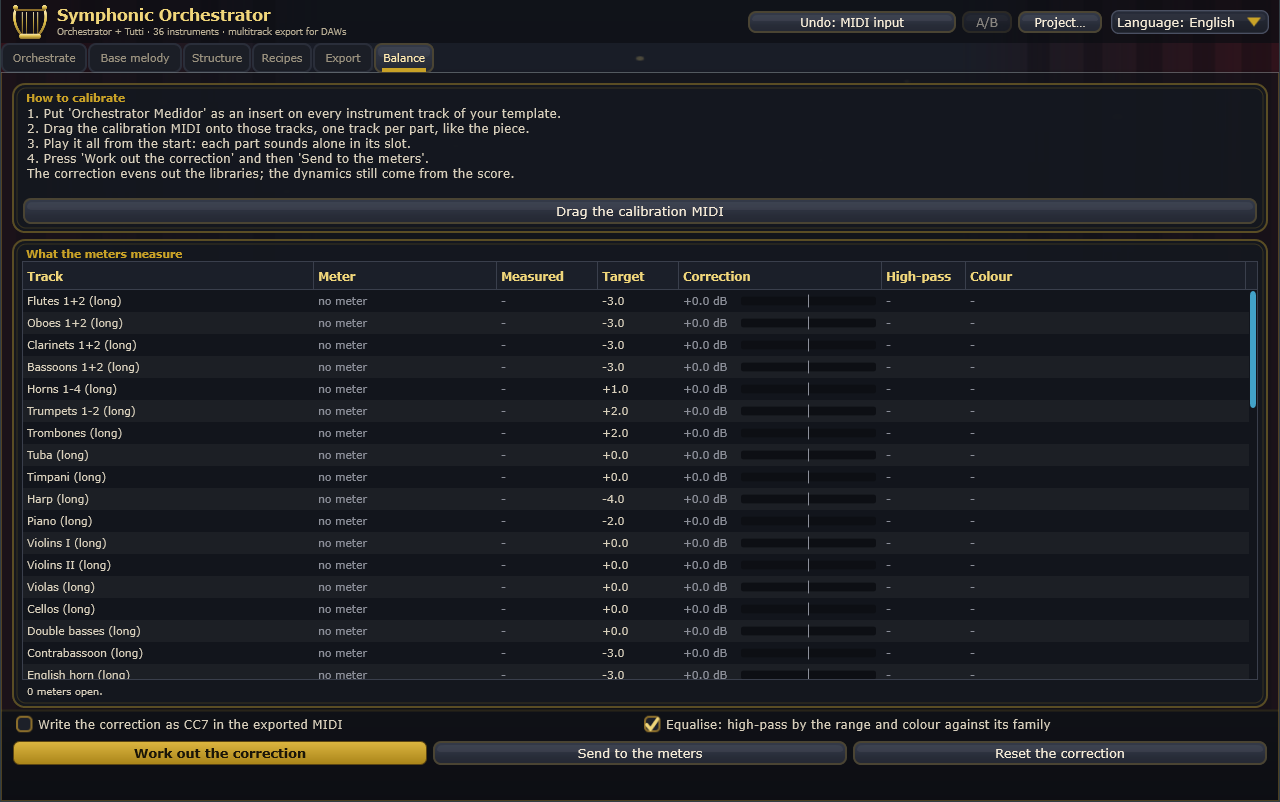
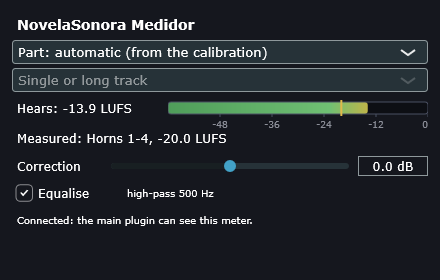
- Insert the Meter on every instrument track in your template.
- Drag the calibration MIDI onto those tracks and play it: each part sounds alone in its own slot.
- Calculate the correction. Each meter knows which part it is from its distance to a sync hit, whatever the tempo.
- Apply it to the meters, which save it in your project, or write it as CC7 into the MIDI you export.
Loudness is measured to ITU-R BS.1770. It also equalizes: a high-pass set by each instrument's range, and its color against its family.
Tutti Orchestra
The sound, one click away.
You don't need any library to get started: the first time, "Download sounds" fetches the DB Soft Orquesta bank. Tutti Orchestra is the sampler inside the plugins, and it also works on its own as a VST3 instrument or an app.
Download
Try all of it before you buy.
A small installer with the plugin, the Meter and Tutti Orchestra, in English and Spanish. The sounds (510 MB) download from the plugin the first time.
Demo
Free
- The whole plugin: compose, orchestrate, listen, edit
- Every tab and all 23 styles
- No MIDI, WAV or project export
- Sound drops out for 2 seconds every 30
License
Full
- Exports multitrack MIDI, stems, Reaper projects and WAV
- No dropouts
- Activate it in the plugin with your key
- Keeps working for 30 days offline
- Release a computer to move the license to another
Questions
Before you install
Do I need orchestral libraries?
No. The plugins play through Tutti Orchestra and the DB Soft Orquesta bank, a free download from inside the plugin: 65 instruments made from public-domain samples. If you have your own libraries, export the MIDI with their keyswitches and use the Meter to balance them.
What does the AI do in NovelaSonora?
It reads the chapter and proposes the scenes, with their mood, who appears in them and where they happen. You can use your Claude, OpenAI or OpenRouter account, a local model in LM Studio, paste the answer from any chat, or skip AI entirely, in which case the analysis comes from vocabulary and punctuation. You can edit every scene by hand.
Where are my AI keys stored?
On your computer, encrypted. They never travel with the DAW session or with projects you share.
I drag the MIDI into Cubase and lose the tempo
Cubase skips the tempo track on merge when the preference “Ignore Master Track Events on Merge” is ticked. Untick it and the tempo and time signature changes come in with the MIDI.
Does it work on Mac?
The Mac version, with AU and VST3, is built and being tested. For now the installers are for 64-bit Windows.